The MicroPython IDE that looks as good as it works.
Snakie is a clean, cross-platform editor for writing MicroPython and working with connected boards — wrapped in a photoreal interface of brushed metal, green felt, ruled paper and recessed glass. Editor, REPL, live Board View and on-screen instruments, in one window. Work offline on a built-in simulated device, and keep your files synced to the board as you type.
No install? Run Snakie in your browser — the full editor, the simulator and 3-D Robot View, right on a Chromebook.
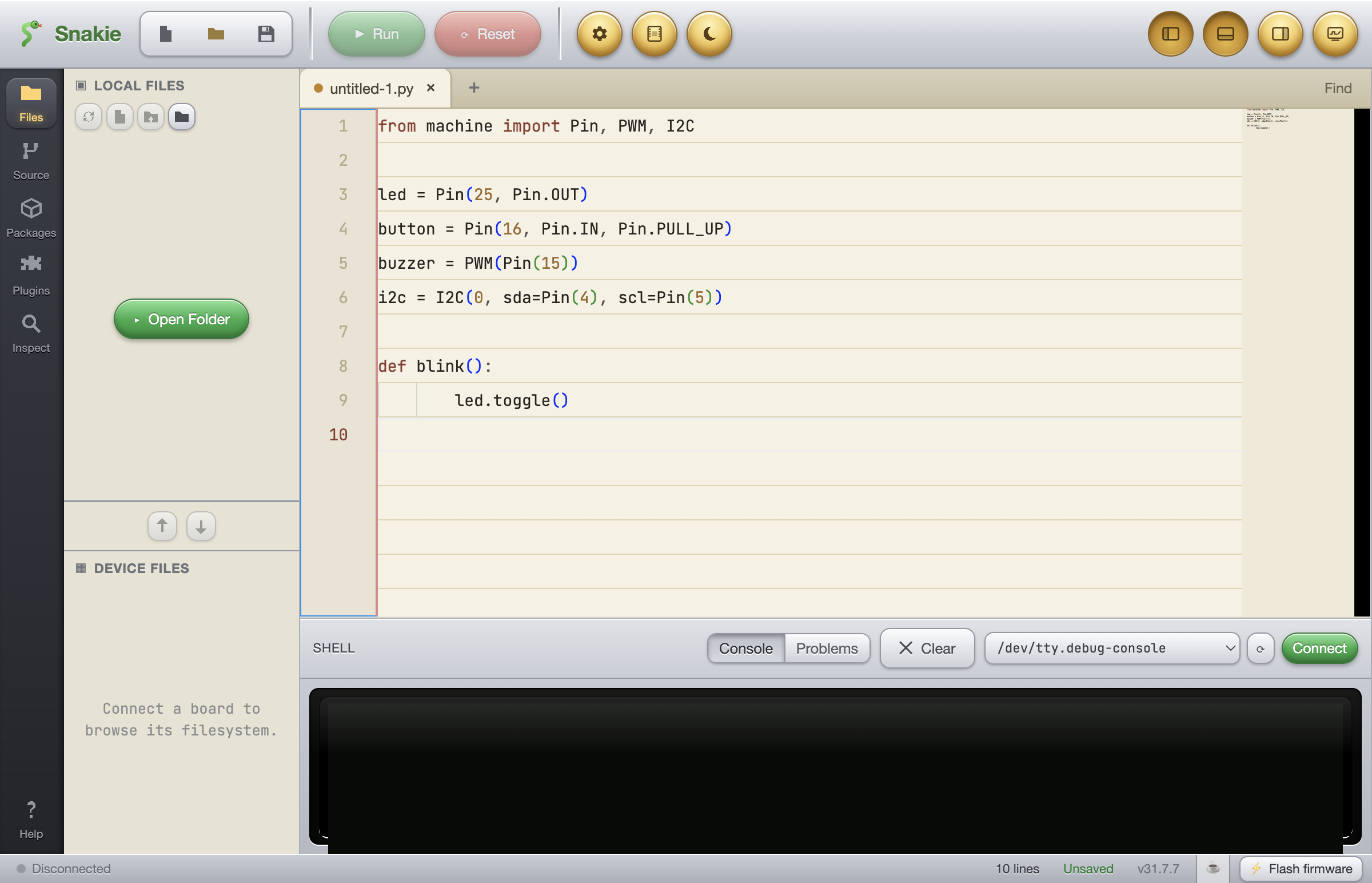
Everything you need for one board — and nothing you don't.
A real code editor
Monaco — the same engine as VS Code — with MicroPython syntax highlighting, autocomplete and optional AI ghost-text suggestions. Tabs, search & replace, JSON/YAML validation.
REPL over serial
Connect to a board over USB with raw-REPL. Run code, stop it, and drop into a live interactive console. Browse and edit both your local and on-device filesystem, Thonny-style.
Live Board View
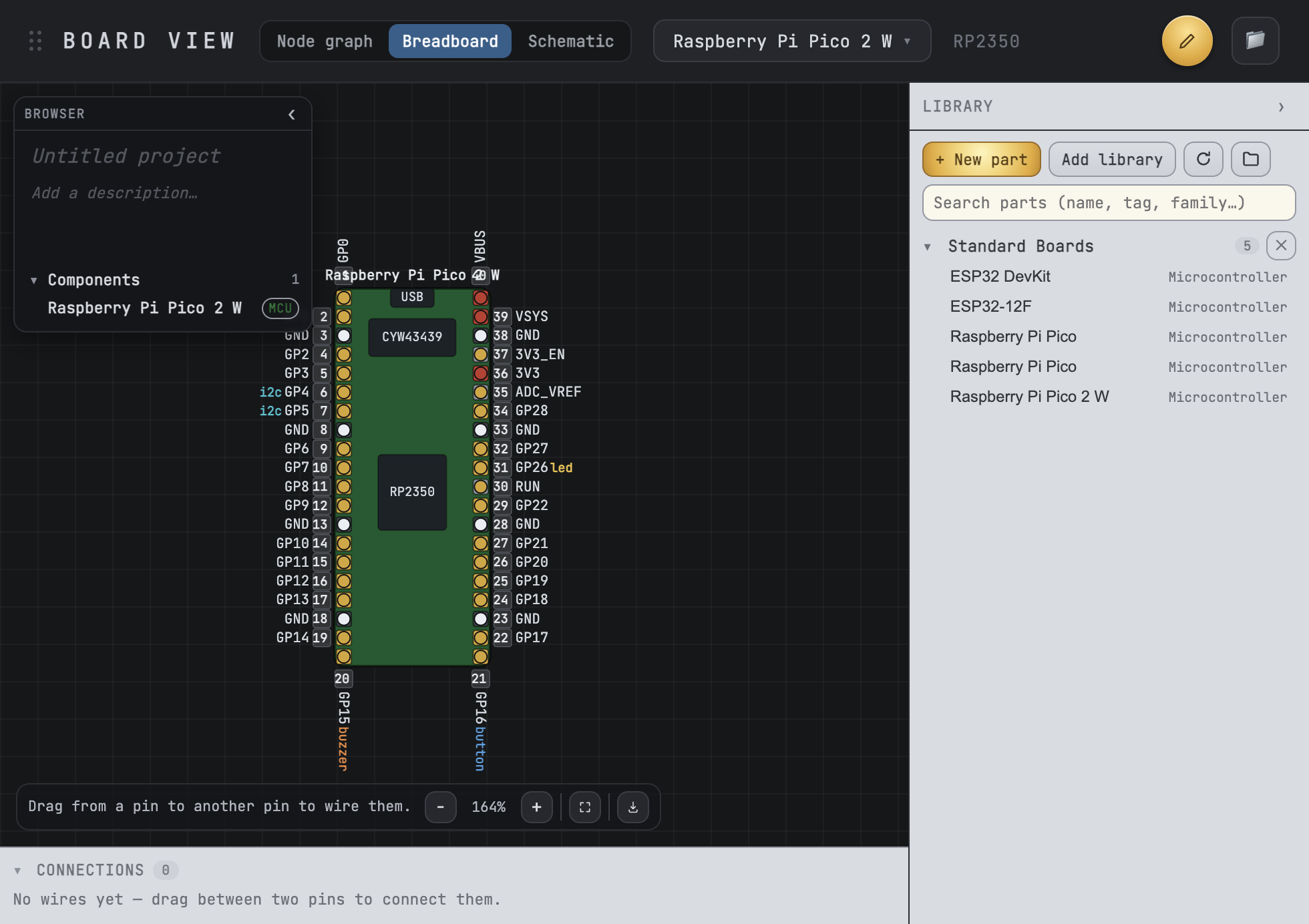
Snakie parses your code to draw the actual pinout — wiring each variable to the pin it uses. Multi-board, custom boards, a Board Creator, viewport controls and SVG export.
On-screen instruments
A skeuomorphic oscilloscope, multimeter and plotter — dockable or floating — fed live and non-invasively by a tiny MicroPython telemetry library you install to your board in one click.
Built-in Git
VS Code-style source control, built in. Stage, diff and commit; switch branches; track history — all without leaving the editor or reaching for the terminal.
Flash & install
Flash MicroPython firmware to your board and install packages with mip — straight from the IDE. And because it's built on Electron, Snakie keeps itself up to date.
Offline simulated device
A real MicroPython interpreter compiled to WebAssembly. Learn, prototype and demo with no board plugged in — the REPL and Run button actually execute Python, and the instruments still animate.
Parts Library & Editor
A portable, community parts library with a full visual Part Editor — pins, pads, shapes, text and images — so you can draw custom boards and components and wire them on a life-like breadboard.
File syncing
Tick a file to keep it in sync with the connected board. Snakie pushes it on every save, so what's running on the device always matches what you're editing.
It reads your code and draws the board.
Every Pin(), I2C(), PWM() and ADC() in your program is traced to the physical pin it drives, colour-coded by type and listed below the board. Or build it visually: drag parts from the library onto the breadboard and wire them up.
- Breadboard, schematic & node-graph views — dark, light or blueprint
- Drag-and-drop parts, a growing Standard library & a Board Creator
- One-click driver install for the parts you place
Turn your program into a bench of instruments.
A handful of calls in your MicroPython code stream live values straight to a whole bench of on-screen instruments — an oscilloscope, an antique barometer, a 3-D IMU with compass, plus a multimeter, plotter and more — no probes, no extra hardware. Even better, watch() a sensor object and the right instrument lights up by itself.

A green-phosphor DSO with time/div and trigger controls, graphing a channel in real time.
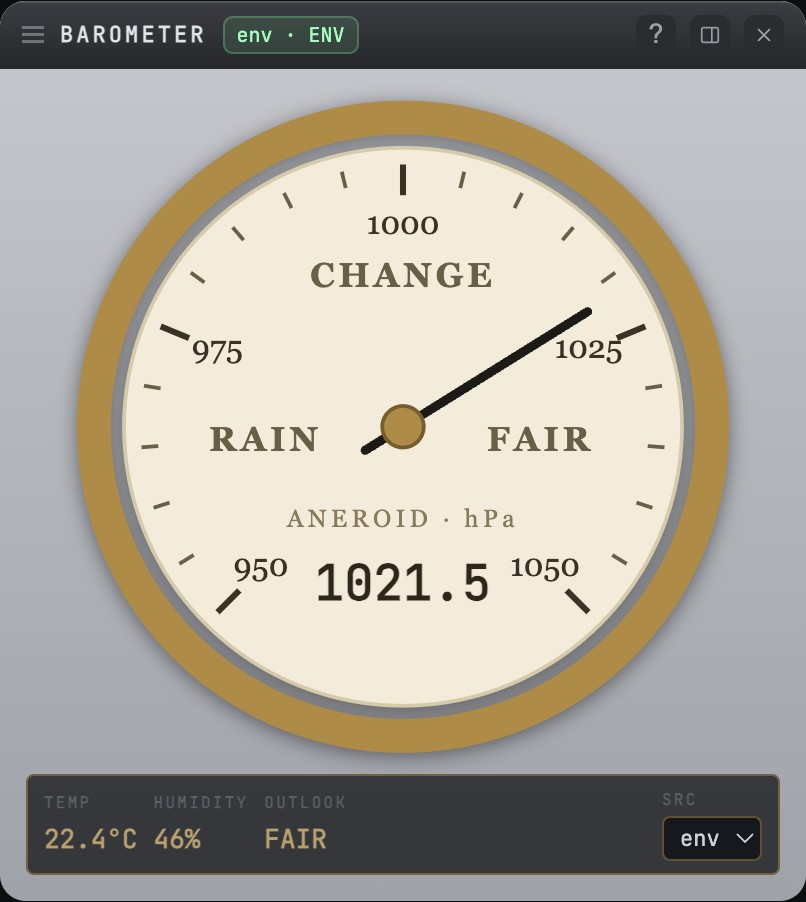
An antique aneroid dial reading temperature, pressure and humidity from a BME280 — with the classic RAIN · CHANGE · FAIR legend.
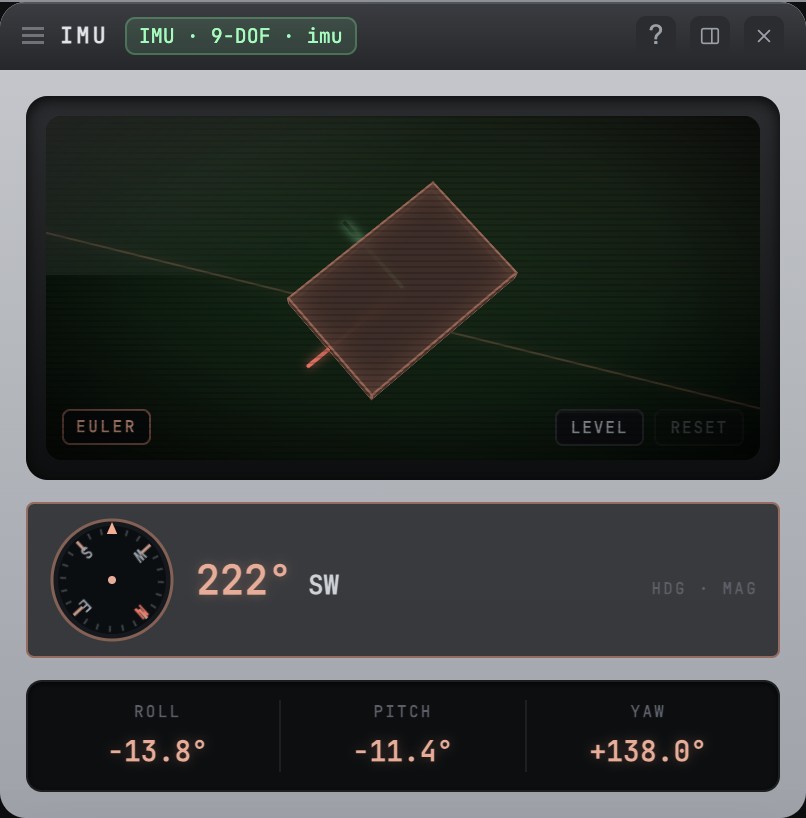
A live 3-D attitude view that tilts with your board, plus a magnetometer compass — roll, pitch, yaw and heading from a 9-DoF IMU.
Up and running in a couple of minutes.
Grab the latest signed installer for your platform from the GitHub Releases page, then follow the steps below.
Detects your OS + CPU architecture and installs the matching build. On Linux / Raspberry Pi it also adds Snakie to the Programming menu. For a system-wide install, pipe to sudo bash instead. Prefer to do it by hand? Use the per-platform steps below.
- 1Download the .dmg from Releases.
- 2Open it and drag Snakie into Applications.
- 3Launch it from Applications or Spotlight.
- 1Download the .exe installer from Releases.
- 2Run it — Snakie installs and adds a Start-menu shortcut.
- 3Open Snakie and connect your board.
- 1Download the AppImage from Releases.
- 2Make it executable:
chmod +x - 3Double-click or run it from a terminal.
Prefer to build it yourself?
Snakie is open source and built with electron-vite. Clone the repo, install the dependencies and you're running a hot-reloading dev build. npm run dist packages an installer for your OS.
Give your MicroPython a nicer home.
Free, open source, and self-updating on macOS, Windows and Linux.
Download Snakie